
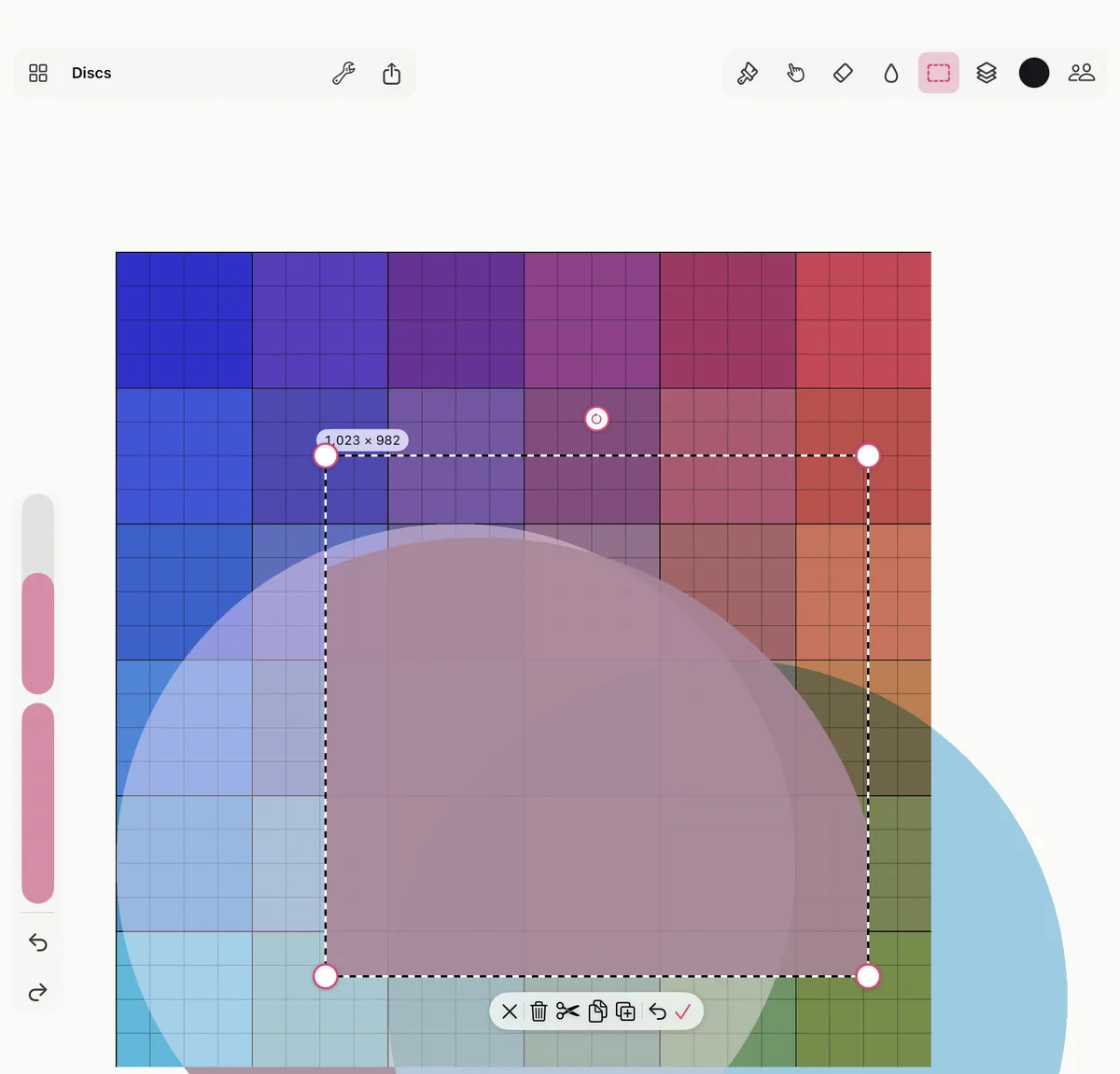
In short. Tap Select (the dashed shape, or V) and drag over the canvas. Drag inside the selection to move it; the corner handles scale it and the round handle turns it. The bar by the selection keeps the move, undoes it, duplicates, copies, cuts or deletes.
Select
- Tap Select, beside the brush. Tap it again to choose its shape: rectangle, ellipse or lasso.
- Drag over the canvas: a rectangle or an ellipse from corner to corner, a lasso around what you want.
A selection takes what’s on the current layer. Select the Whole Layer (in the same panel, or ⌘A) takes all of it; Deselect (or Esc) lets it go.
Move, scale and turn
- Move: drag inside the selection.
- Scale: drag a corner handle.
- Turn: drag the round handle; it snaps to every 15°.
The bar beside the selection has Done (the check, or Return), which keeps the move, and Undo the move, which puts it back. A move is one step of undo.
Duplicate, copy, cut and paste
The same bar duplicates what’s selected (the copy stays selected, ready to move), copies it, cuts it, or deletes it. A copy is an ordinary picture: paste it in another app too.
Paste as a Layer, in Select’s panel (or ⌘V), puts what you copied, or any picture you copied elsewhere, on a layer of its own. Pasted from Smudjo, it lands back where it was.
Paint inside a selection
With a selection on, the brush, the eraser, smudge and fill only touch what’s inside it. A note at the bottom says Painting inside the selection, with Deselect to paint everywhere again.
Keys on a Mac or an iPad keyboard
| Key | |
|---|---|
| V | Select |
| ⌘A | Select the whole layer |
| Esc | Deselect |
| Delete | Delete what’s selected |
| ⌘X, ⌘C, ⌘V | Cut, copy, paste as a layer |
| Return | Keep the move |